
Download Light Notes – A Handy Notepad App
Overview
Light Notes is a mobile notepad application designed to simplify the process of capturing, organizing, and preserving digital notes. The app caters to users seeking a lightweight yet powerful tool for managing personal, academic, or professional information. With the ability to create an unlimited number of notes, each supporting up to 100,000 characters, Light Notes accommodates everything from brief reminders to in-depth journal entries or research drafts. Its core purpose lies in enhancing productivity by offering a clean, intuitive environment for writing and retrieval. The app is particularly useful for students, writers, professionals, and anyone who relies on digital note-taking as part of their daily routine.
Light Notes addresses common pain points such as lost notes, poor organization, and lack of backup options. By integrating color-coded categorization and robust search functionality, the app enables users to quickly locate specific content without scrolling through dozens of entries. The inclusion of multiple backup methods—such as Google Drive, OneDrive, or private servers—ensures that critical data remains secure and accessible across devices. This makes it a reliable solution for individuals who value both privacy and continuity in their workflows. The app’s role in the mobile productivity ecosystem is significant, offering a streamlined alternative to bloated note-taking platforms while maintaining essential features.
Key Features & Functionality
- Unlimited Notes: Users can create as many notes as needed without any restrictions, ideal for long-term projects or extensive personal documentation.
- High-Character Capacity: Each note supports up to 100,000 characters, allowing for detailed writing, including essays, meeting summaries, or technical documentation.
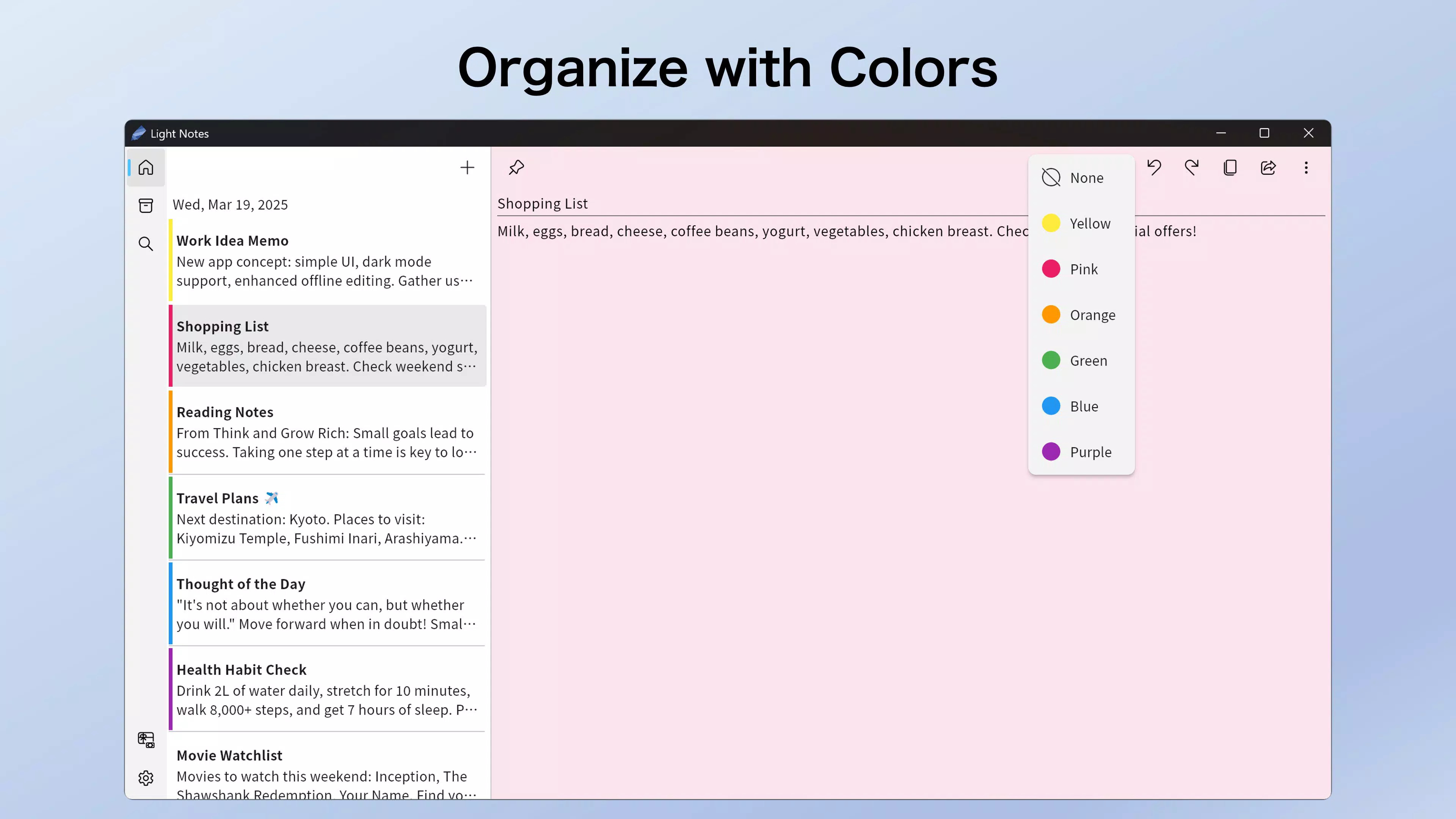
- Color-Coded Organization: Notes can be assigned different colors for visual categorization, improving quick identification and workflow efficiency.
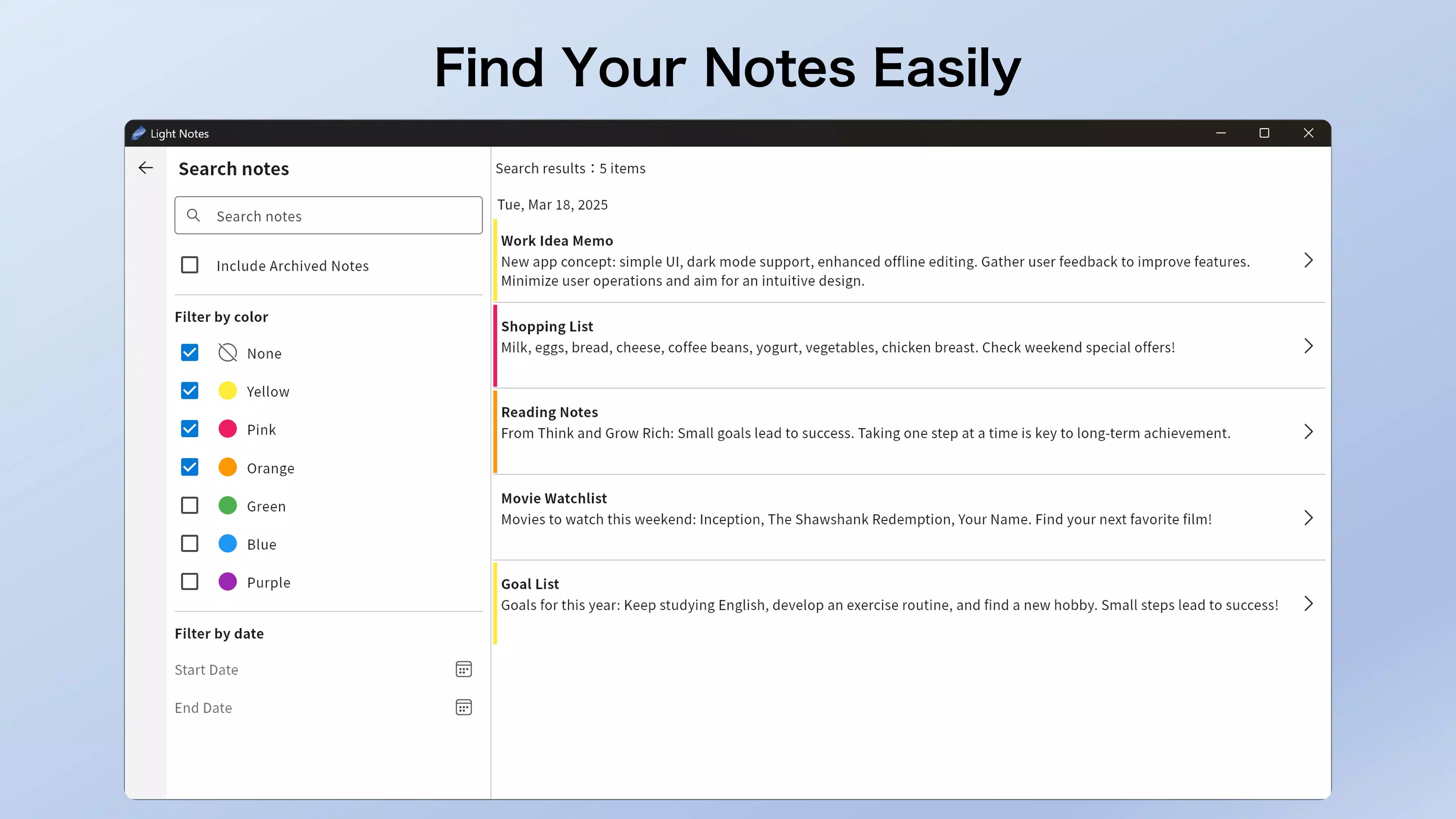
- Advanced Search & Filter: The built-in search function enables users to find notes by keyword, date, or color tag, streamlining information retrieval.
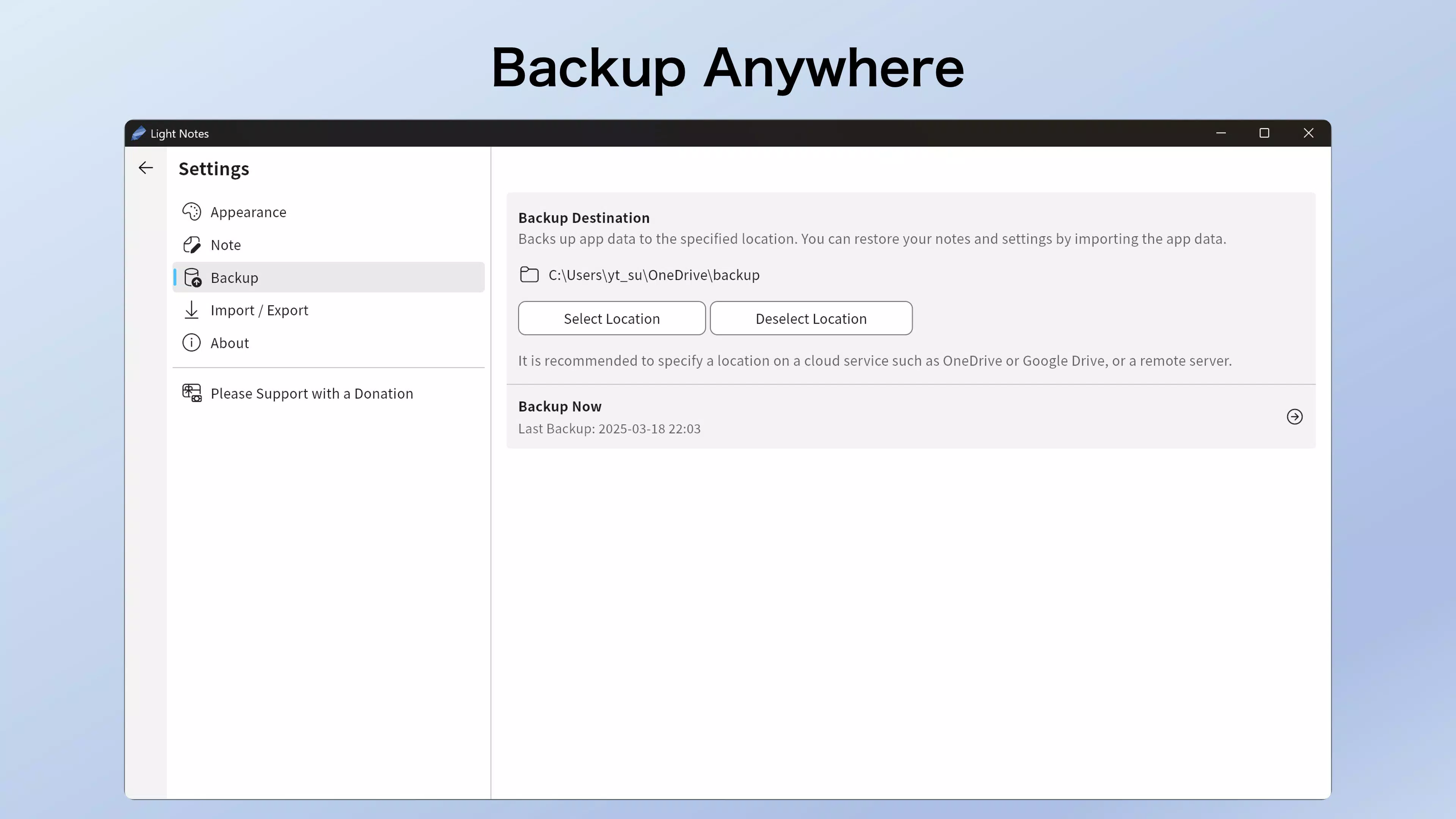
- Flexible Backup Options: Data can be backed up to cloud services like Google Drive and OneDrive, or stored on private servers, ensuring data redundancy and recovery.
- Local & Exportable Storage: Notes can be saved locally or exported in JSON or TXT formats, enabling easy transfer between devices or integration with other tools.
- Customization Features: Includes a dark theme for reduced eye strain and the option to auto-create a new note upon launch, optimizing the user experience for frequent users.
For example, a student might use color coding to separate notes by subject, while a writer could leverage the high character limit to draft entire chapters. A professional might use the backup feature to sync notes across their tablet and phone, ensuring continuity during travel. The app’s structure supports both casual and intensive use cases, making it adaptable to diverse user needs.
Interface, UX & Performance
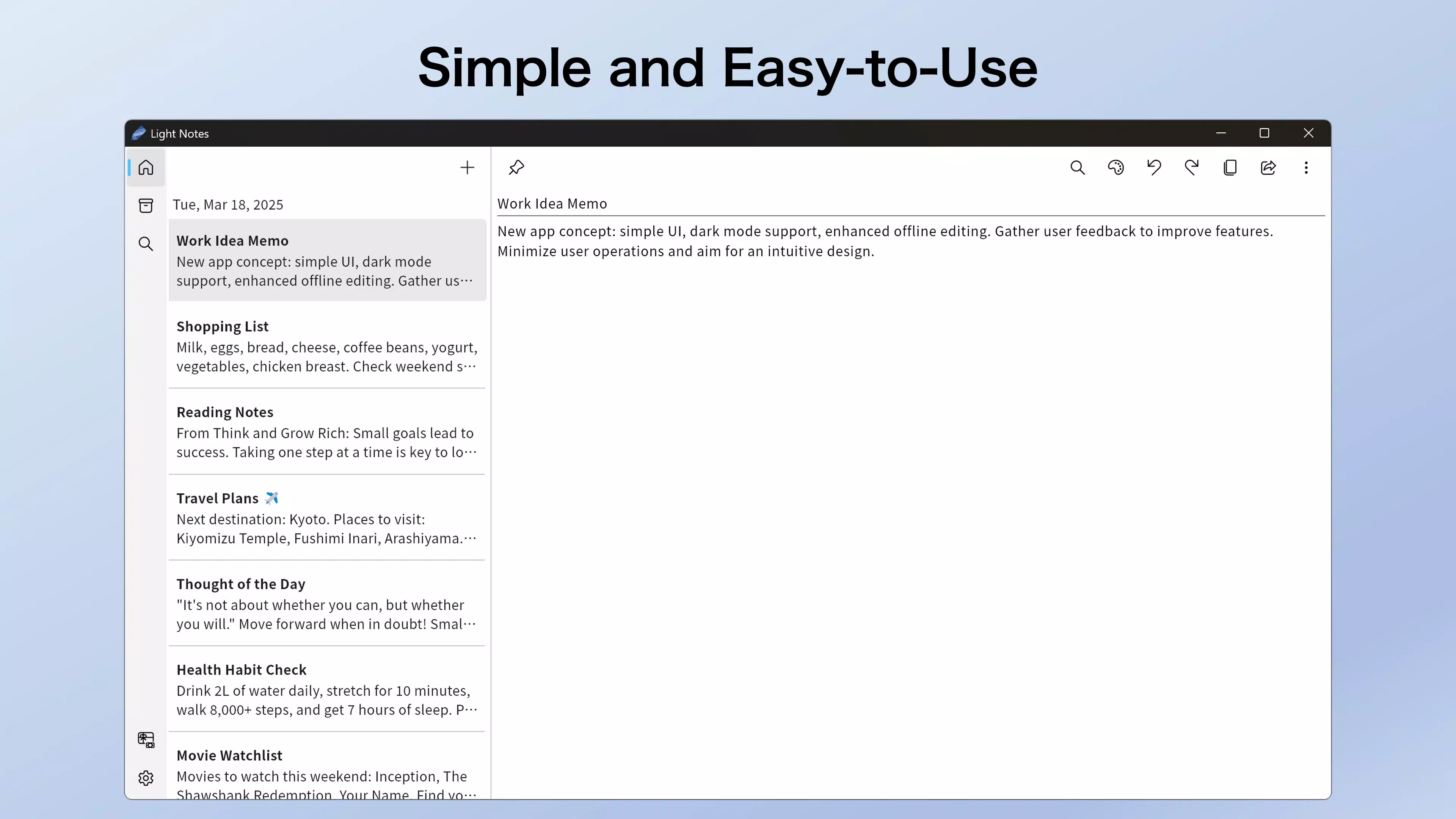
The user interface of Light Notes emphasizes simplicity and clarity. The layout is clean, with a central list view of notes displayed in a scrollable format, each visually marked by its assigned color. Navigation is intuitive, relying on standard gestures and minimal on-screen controls to maintain focus on content. The app’s design avoids clutter, prioritizing readability and ease of access. Users can create new notes with a single tap, and the ability to auto-generate a new note on launch enhances workflow continuity for regular users.
Performance appears consistent across device categories, though the developer did not list formal performance metrics. The app responds promptly to inputs, and transitions between screens are smooth, suggesting efficient memory management. Responsiveness is maintained even with a large number of notes, indicating effective data handling.
Stability is likely optimized for typical usage scenarios, although specific crash reports or error logs were not provided. The dark theme functions as intended, reducing screen glare and improving usability in low-light environments. Overall, the UX is tailored for efficiency, with minimal friction between task initiation and completion.
Platform Compatibility & Technical Requirements
Light Notes is available on Android, as confirmed by the developer. The app supports the latest version of the Android operating system, though specific minimum OS requirements were not listed. The file size of the application is 12.4 MB, making it lightweight and suitable for devices with limited storage.
This compact size contributes to faster installation times and reduced background resource usage. The app is designed to function efficiently on a wide range of Android devices, from entry-level smartphones to high-end models. However, compatibility with iOS or other platforms was not disclosed.
Users should ensure their device meets standard Android requirements for app installation and operation.
Pros and Cons
Pros
- Unlimited note creation with no restrictions.
- Supports up to 100,000 characters per note for detailed content.
- Color-coded organization improves visual navigation.
- Multiple backup options including cloud and private servers.
- Exportable notes in JSON and TXT formats for data portability.
- Dark theme enhances readability in low-light settings.
- Lightweight file size at 12.4 MB.
Cons
- Specific OS version requirements were not provided.
- Platform availability beyond Android was not confirmed.
- Developer did not specify performance benchmarks or stress testing results.
- Integration with third-party note-taking tools was not mentioned.
- Offline functionality details were not disclosed.
FAQ
Is Light Notes available for iOS?
The developer did not confirm availability on iOS. The app is currently available on Android.
Can I use Light Notes without an internet connection?
Yes, the app supports offline use. Notes can be created, edited, and accessed without an internet connection.
How secure is my data in Light Notes?
Data is stored locally by default. Users can also back up notes to secure cloud services or private servers, enhancing data protection.
Does Light Notes support syncing across devices?
Syncing is possible through cloud backup options like Google Drive or OneDrive, allowing access to notes across multiple devices.
Can I import existing notes into Light Notes?
While the developer did not specify import functionality, notes can be exported in TXT or JSON format, which may allow for manual re-entry or integration with other tools.
Final Thoughts
Light Notes delivers a focused, efficient solution for users who prioritize simplicity, flexibility, and data safety in their note-taking experience. Its ability to handle large volumes of text, combined with smart organization tools and multiple backup methods, makes it a compelling choice for both casual and serious users. The app’s lightweight design ensures it runs smoothly on most Android devices, while its customizable interface enhances user comfort. Whether you're jotting down daily thoughts, drafting reports, or managing complex projects, Light Notes provides a reliable foundation for digital documentation.
For students, professionals, and creatives seeking a no-frills yet powerful notepad, Light Notes offers strong value. Its combination of unlimited notes, high character capacity, and secure backup options sets it apart in a crowded market. The app’s clean design and thoughtful features reflect a deep understanding of user needs. With a minimal footprint and clear functionality, it stands out as a trusted utility for modern mobile productivity.
Download Light Notes now


